
Google Drive Interactive Notebook Activities in the World Language Classroom
Why use Google Drive Activities?
Google Drive activities ensure high student engagement, provide large amounts of visual content and comprehensible input, are paperless, glueless, and student-driven.
Paper interactive notebook activities are guaranteed to get students hands-on and involved in your class, but going digital amps up student interest and ensures all hands and minds are busily engaged in the process of learning.
Keep reading to see how Google Drive activities can get your students actively using the target language—and get a FREE Google Drive Activity to practice Spanish clothing vocabulary!

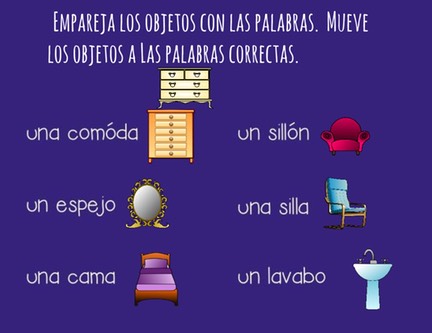
Google Drive is the perfect platform for the visuals necessary to keep students thinking in the target language without the use of English (or L1). Take a look at the visuals in these Spanish House and Chores Google Drive Activities (Click on image to see more details):
What Do Students Do in a Digital Interactive Notebook?
What do students actually do in a digital interactive notebook? Depending on the activity, they drag pictures to match vocabulary, arrange words to build sentences, type answers, and describe what they see. Instead of simply clicking through slides, students make choices and use Spanish or French to complete a task.
Below is a Google Drive activity to practice the French Classroom Objects vocabulary.
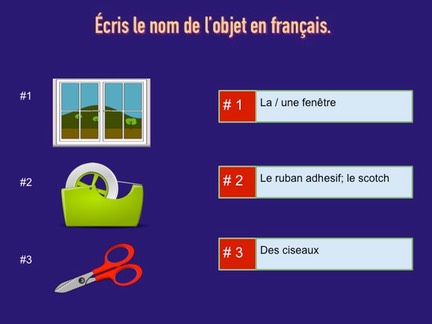
See a Google Drive Activity in action below.
Want to try a digital activity with your students? Get your FREE Spanish Clothing La ropa Google Drive Activity and give your students an interactive way to practice la ropa!
MORE REASONS TO LOVE DIGITAL ACTIVITIES
Going digital means more time for learning because students spend less time cutting and gluing—and you aren’t left with glue sticks strewn across your classroom floor. (Although my students do not glue because I am always blessed with T.A.s who cut, fold and glue for me but not everyone has that luxury.)
Students are busy teaching themselves and finding answers. You, the teacher, are not doing a song-and-dance hoping to engage anyone interested and/or awake. Students are also producing language in context, not just moving objects.
Here is an example of an activity in which students write complete sentences as they are learning the vocabulary for sports:
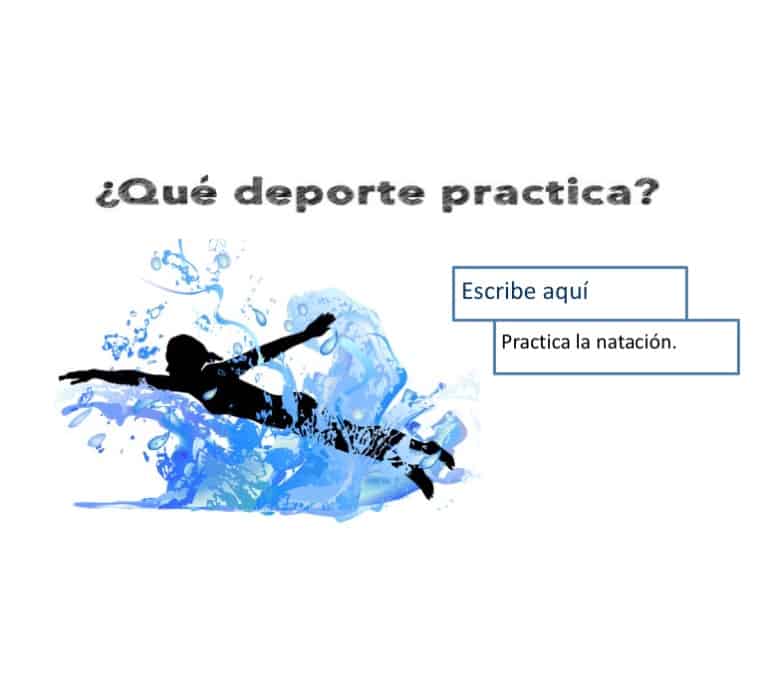
See how Google Drive is perfect for learning grammar as students learn how to form questions in Spanish. What other tool allows students to manipulate language and move parts of speech around?
Google Drive Activities are excellent assignments for homework also, particularly on the block schedule when most instructional time should be devoted to comprehensible input and communicative proficiency. However, those without a computer would have to do the assignments in the computer lab. In that case, I always give extra time to turn in the assignment.
Are you hooked? So, HOW do you do it? Read the step-by-step instructions here: How to Use Google Drive Activities in Your Classroom
Post Google Drive Activities
Most of my Google Drive activities begin with recognition and end with student production. The activity itself provides comprehensible input: students see correctly written words and sentences and match them to images that make their meaning clear. Once students have had enough exposure to the language in context, they are asked to produce by typing the word that corresponds to an image or answering questions in complete sentences.
After that, I continue to give comprehensible input activities. For example: After students complete the Google Drive activity, I divide the class into two teams, and play Pictionary. I say a complete sentence, using the vocab word in context and students draw a representation of what they hear. Then, I call a number and the student who stands first with the correct drawing wins the point.
Turn Digital Practice into a Conversation
Once students have received enough repetition in context and have practiced the vocabulary, I have them work with a partner. For example, after completing a clothing activity, students ask each other, “¿Qué llevas hoy?” or “¿Qué ropa llevas cuando hace frío?” I keep the questions visible to provide support. This gives students a reason to use the vocabulary beyond the screen.
ALL THE GOOGLE DRIVE ACTIVITIES YOU’LL NEED ALL YEAR:
SPANISH DIGITAL ACTIVITIES BUNDLE
FRENCH DIGITAL ACTIVITIES BUNDLE
If you missed the previous blogs about Interactive Notebook Activities, click here: Interactive Notebooks
and here: Interactive Notebooks 2
Would you like to receive free products and notifications of new products? If so, click here to FOLLOW MY STORE.
To receive these tips in your email, subscribe to my blog on the HOME PAGE. (Scroll down. You also get a freebie for subscribing.)
 Pinterest
Get More Freebies and Teaching Tips!
Testimonials
Youtube VideosMy Youtube Videos
Pinterest
Get More Freebies and Teaching Tips!
Testimonials
Youtube VideosMy Youtube Videos